


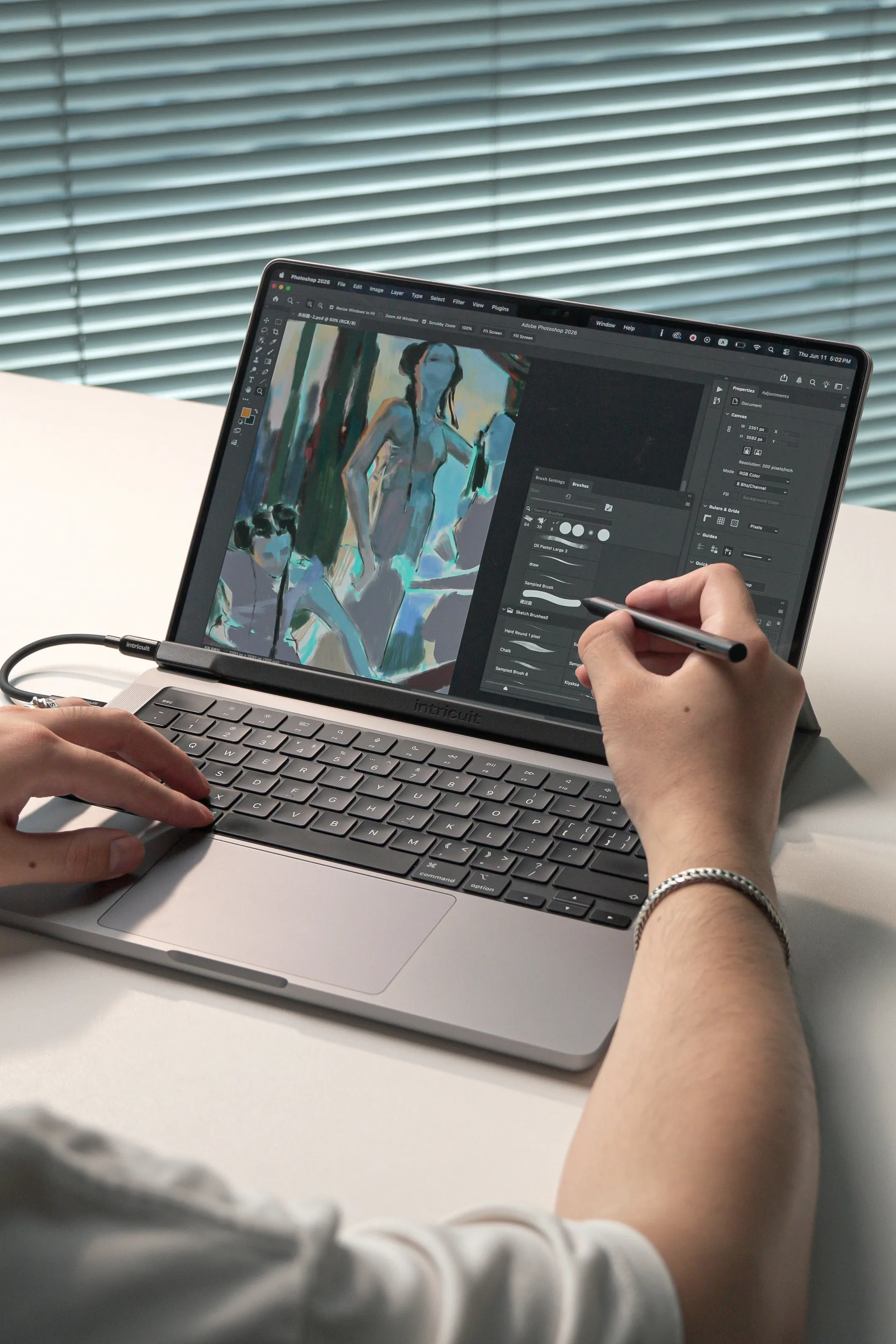
The MacBook you love. Now with a touchscreen and pen.

Pre-order discount • Save 25% ($60 off retail)
Say Hi to Magic Screen, the first snap-on touchscreen for your MacBook
Redefine what's possible.
Unlock your full creative and productive potential
A new way to interact with Mac
Tap, swipe, and zoom with intuitive precision. Navigate with ease. Scrolling webpages and zooming in on photos is direct and effortless. All the touch gestures you know and love, fully supported.
A creative's dream
For the first time, Magic Screen brings stylus support, pressure sensitivity, pencil hover, and palm rejection directly to your MacBook, allowing you to create like never before.
How It Works
Magic Screen magnetically snaps onto your MacBook display without any fuss.
Magic Screen in Action
Livelier presentations
Instead of clicking through slides, you can swipe, zoom, or draw right on the screen to highlight key points. It keeps your audience engaged, whether you're brainstorming together in a meeting or presenting remotely.

SketchUp
Get lost in your play
Touch-friendly games like point-and-click adventures and board games feel incredibly immersive and natural, letting you manipulate the game world directly with your fingers.

Disco Elysium
Portable whiteboard
Perfect for capturing ideas on the fly. You can sketch diagrams, map out concepts, or brainstorm visually wherever inspiration strikes. It's easy to zoom, rearrange, and build on your thoughts without being limited by space.

Miro
Maximize your productivity
Turn complex commands into simple, intuitive gestures. Instantly trigger clips with a tap, blend layers with a swipe, and manipulate effects with natural finger movements—all without hunting for controls or mapping external gear.

Resolume Arena
iPhone mirroring
Interact with your virtual iPhone the way it was meant to be used. Enjoy your iOS apps on a larger screen.

Tinder (iOS)
Go Beyond With the Stylus

The included stylus unlocks the full potential of Magic Screen, giving you pixel-perfect accuracy and control for drawing, writing, or selecting small elements on screen. Plus, it helps keep your Magic Screen free of fingerprints.

Pressure sensitivity
Get darker, thicker lines just by varying your pressure.

Pencil hover
Preview exactly where on the screen your stylus will touch.

Palm rejection
Rest your hand without accidental stylus input.

Long-lasting battery
Create for 100 hours straight on a single charge.
Bring your art to life with pressure-sensitive strokes that feel just like a real brush or pencil.
Pen Tablet Mode
The magic doesn't end when Magic Screen leaves your MacBook. Use it detached as a standalone drawing tablet, giving you professional precision and unbeatable ergonomics.
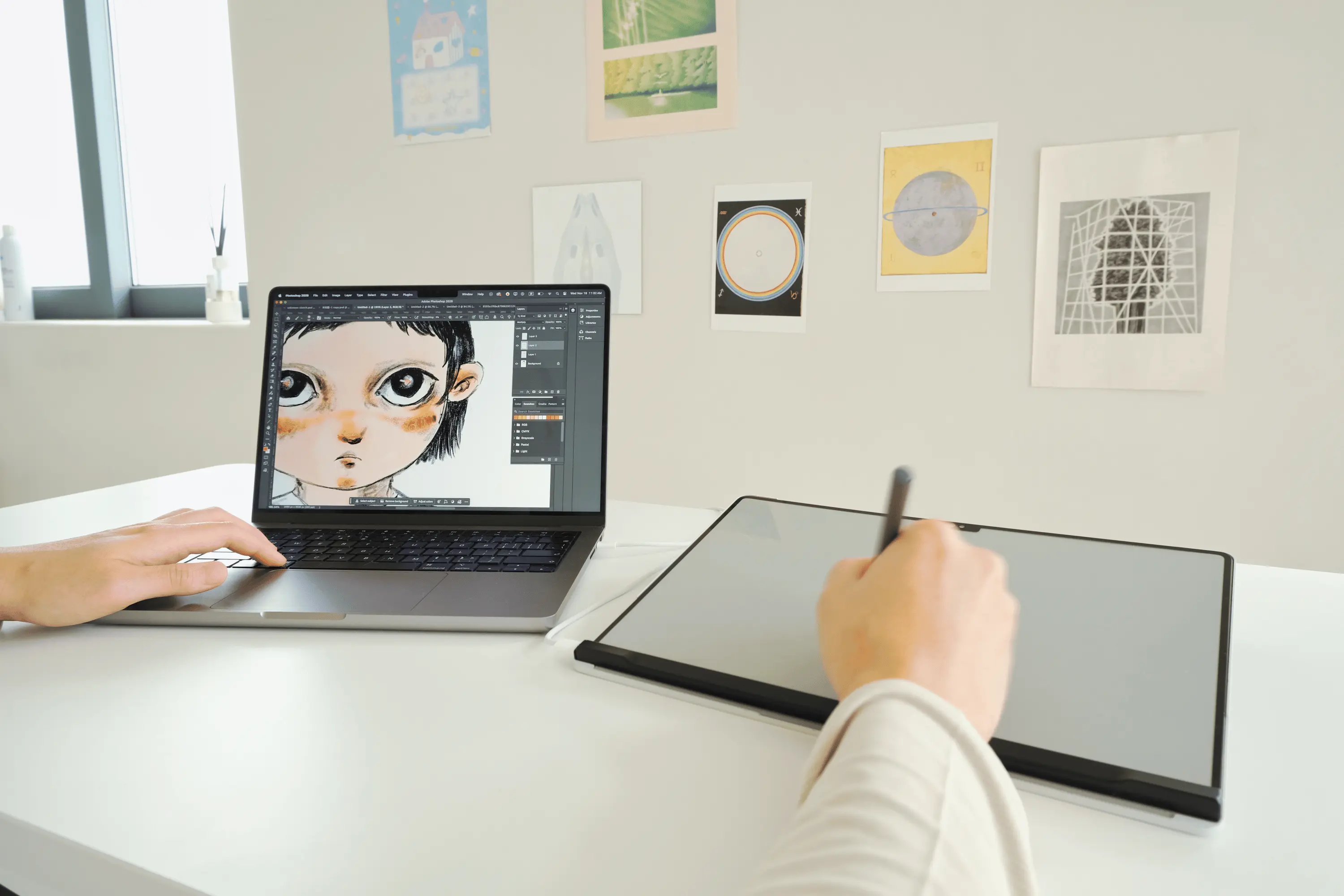
Unlike Other Touchscreen Laptops
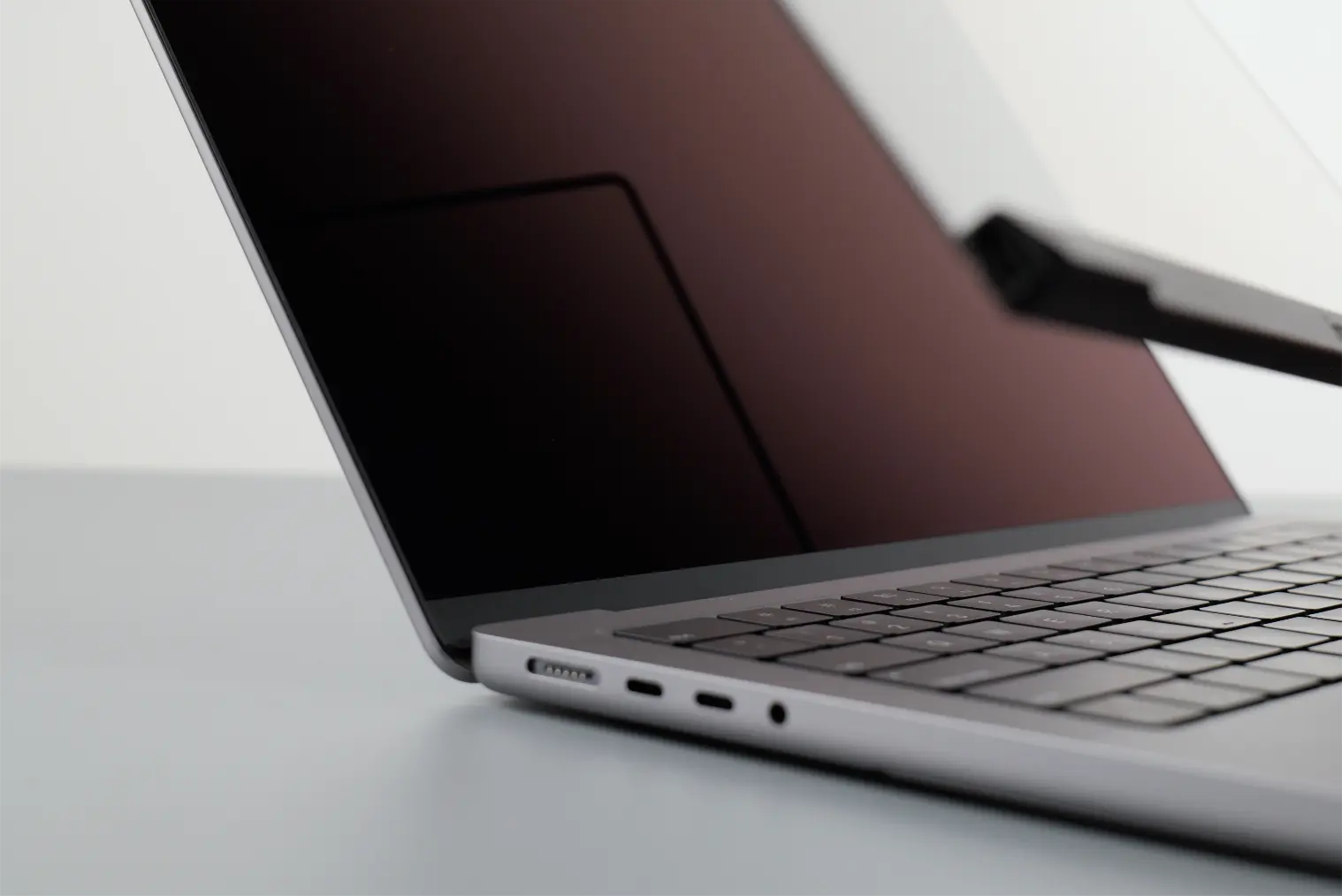
Fingerpint-free touch
Touch doesn't have to mean fingerprints. Unlike laptops with built-in touchscreens, Magic Screen handles all your touch input while doubling as a screen protector, keeping your MacBook display clean and smudge-free.
Stabilized touchscreen
Anyone who's used a touchscreen laptop knows the frustration of screen wobble. Our Folio Case braces against your MacBook, keeping your display rock-solid through every tap, swipe, and brushstroke.
Your Go-Anywhere Companion
Designed for travel. So you can take it anywhere, without a second thought.
Smart protection
The Folio Case protects Magic Screen and magnetically attaches to your MacBook, so you can carry your complete setup with ease.
Pack and go, instantly
When it's time to go, Magic Screen tucks neatly into the Folio Case attached to your MacBook, making your transition from work to travel completely frictionless.
No extra desk space required
Its zero-footprint design means it all fits perfectly on your lap, a tiny coffee shop table, or even a tray table.

Thoughtful Design
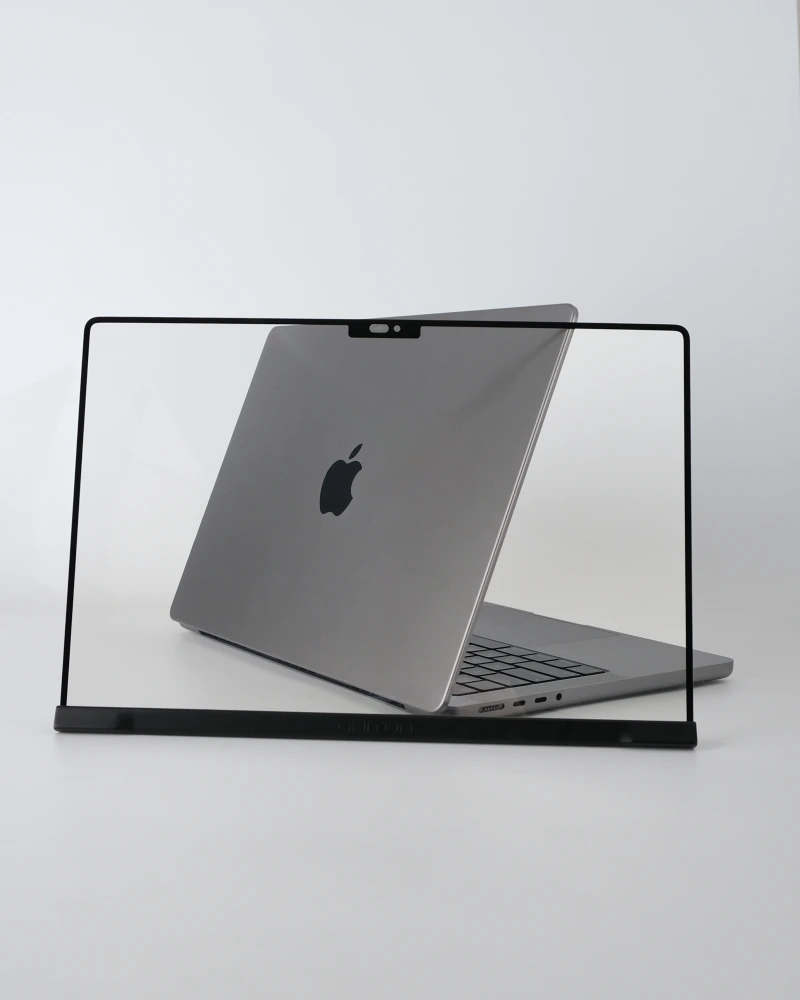
Your MacBook's new BFF
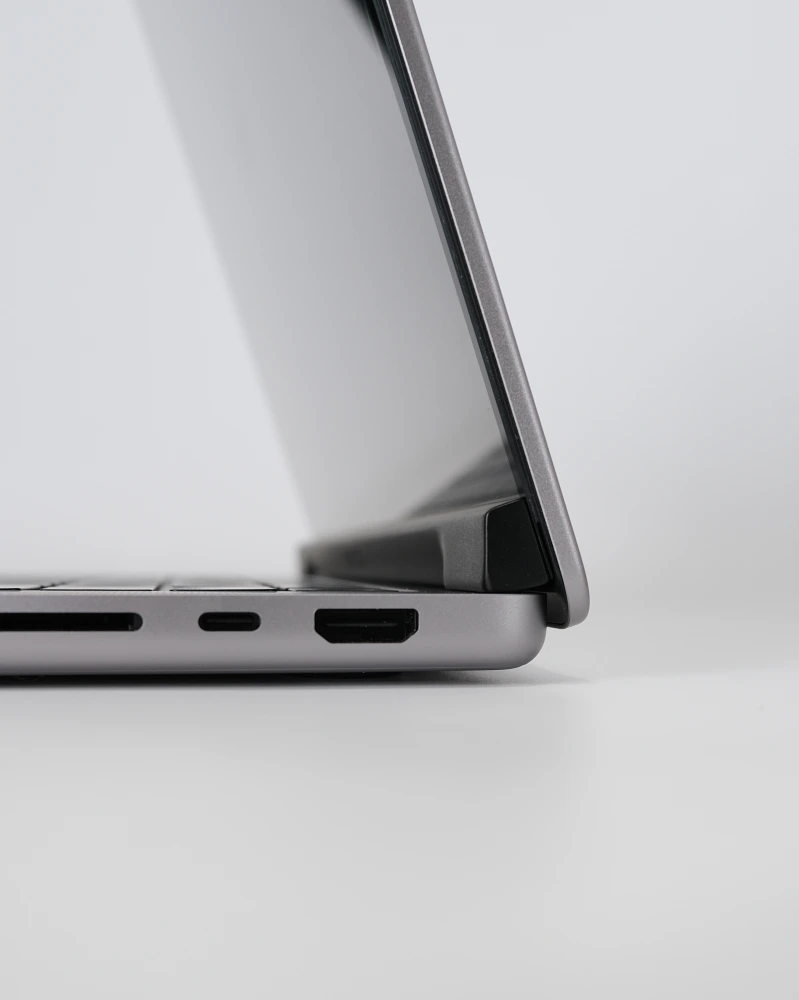
Bottom case design prevents accidental closure
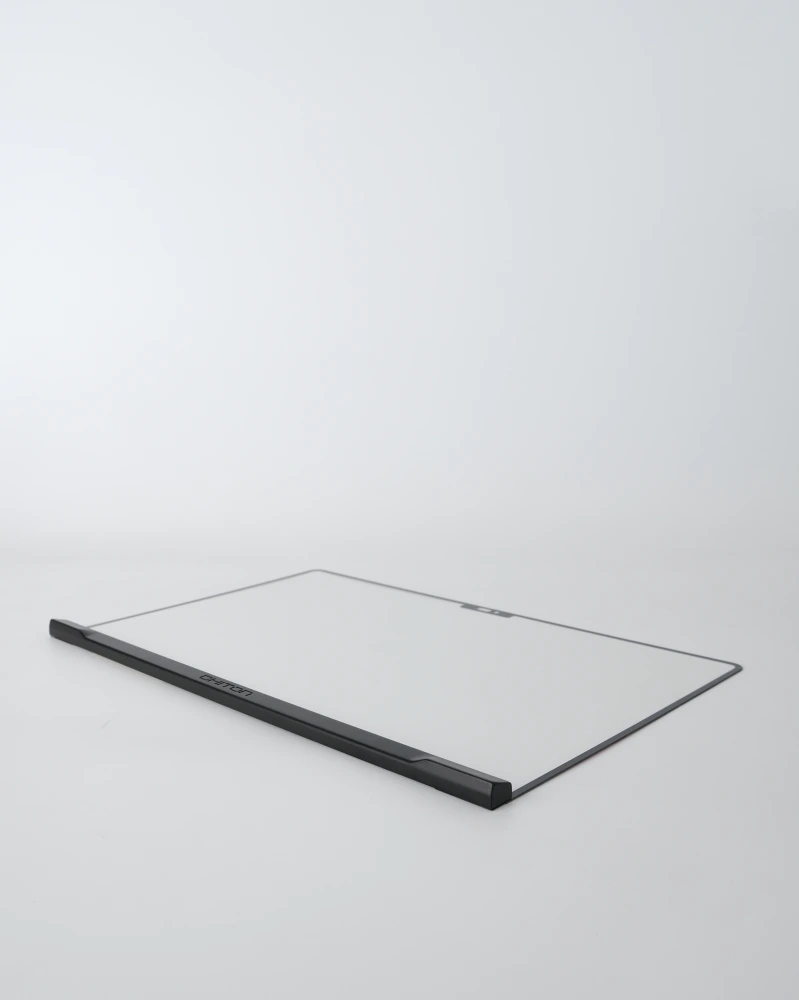
Minimal and lightweight
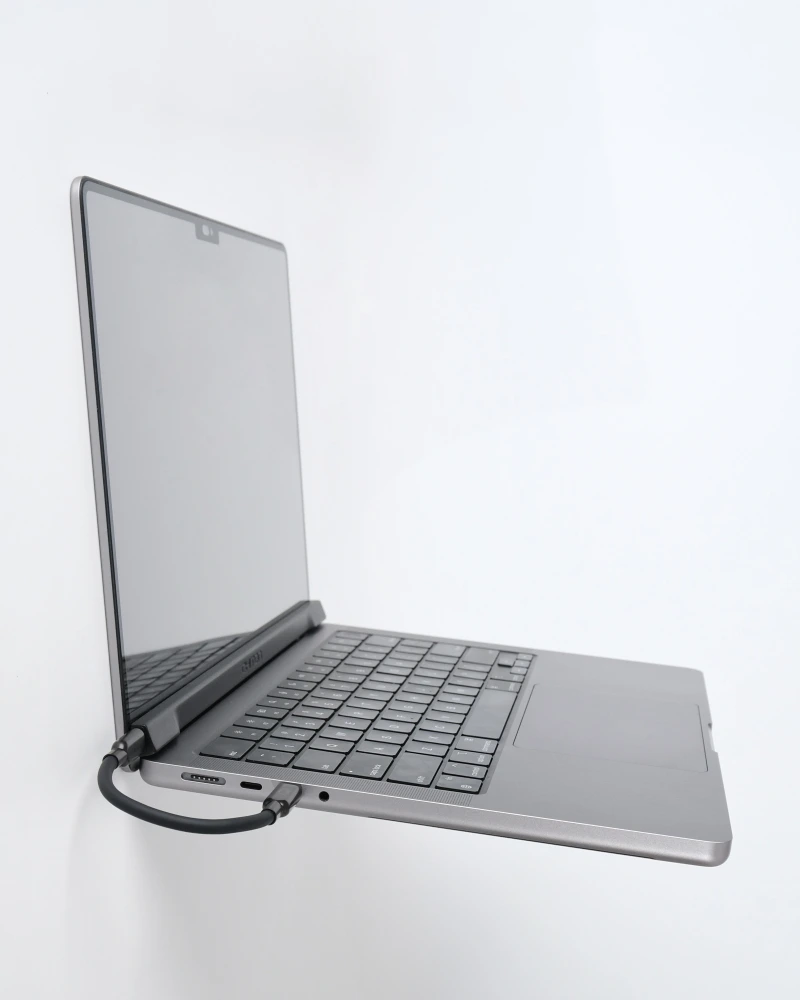
Sits extremely flush with the MacBook display
MacBook Compatibility
Magic Screen is precision-fit for your MacBook, available in 5 sizes to cover the MacBook Neo and Apple M-series MacBook Air and Pro with a notch display.
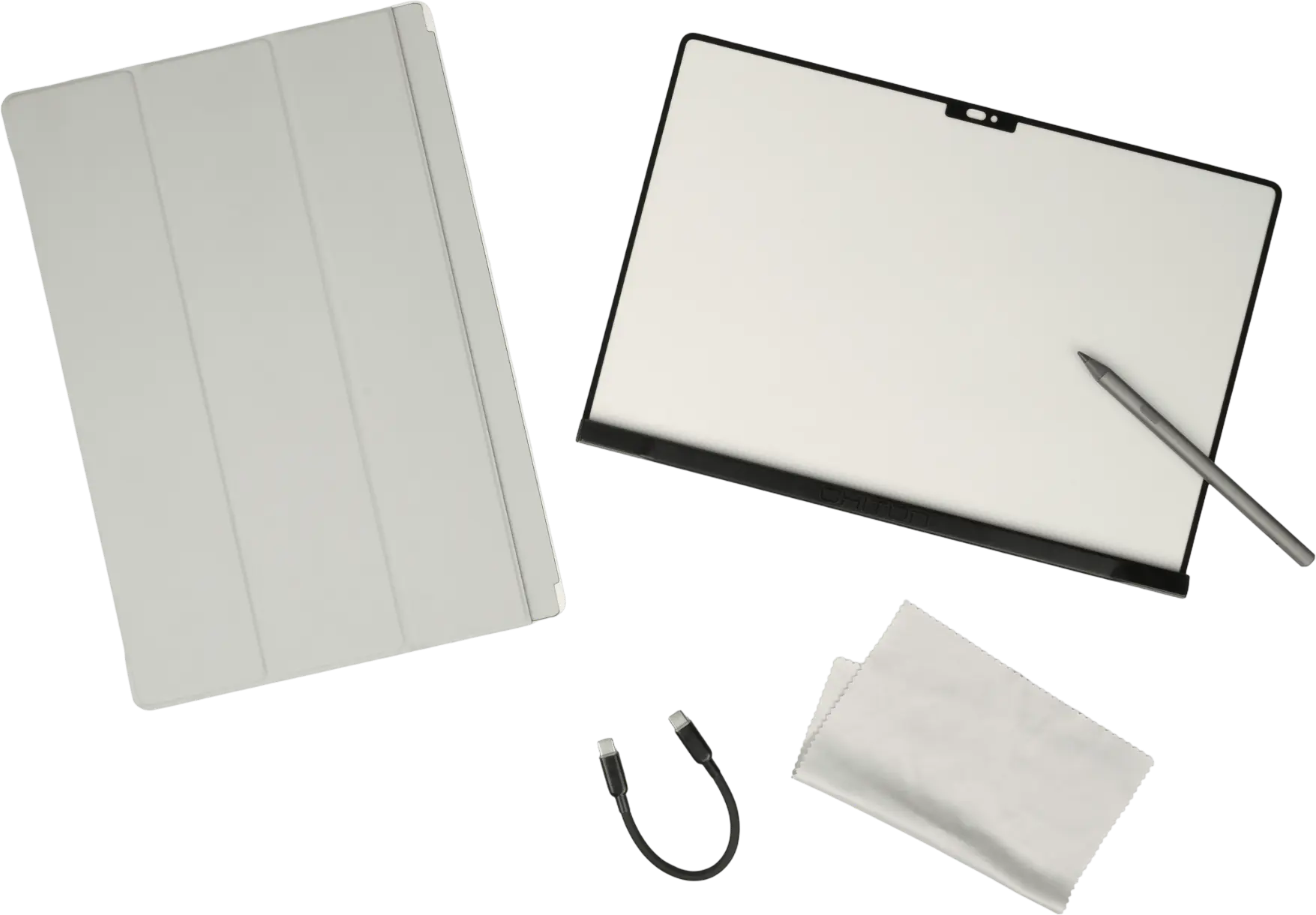
In the Box
- Magic Screen
- Stylus
- Folio case
- USB-C cable
- Accessory pouch
- Polishing cloth
- User manual
Frequently Asked Questions
What is Magic Screen?
Magic Screen is a sleek, ultra-compact touch overlay that magnetically snaps to your MacBook display, transforming it into a touchscreen in seconds. Pair it with the included, feature-packed stylus and unlock a whole new level of productivity and creativity.
When and where can I purchase Magic Screen?
We are launching exclusively on Kickstarter, potentially in June. Join the email list to be notified of our exact launch date.
What is Kickstarter?
Kickstarter is a crowdfunding platform that helps bring innovative ideas to life. We are in the final stages of development, and your backing is exactly what we need to take Magic Screen from prototype to full production.
When will Magic Screen ship?
We are aiming to ship in early Q3 2026.
Do you ship internationally?
We offer worldwide shipping!
Do I have to pay duties and sales tax?
Yes, you are responsible for any import duties and taxes on your order.
Is an app required to use Magic Screen?
Basic touch functionality works right out of the box but for more advanced functions and customizations, the installation of our lightweight app is required.
Is the magnetic attachment safe for my display?
Magic Screen is fused with a protective film to safeguard your display. We still recommend keeping both surfaces clean and free of debris before attaching.
Why do MacBooks have magnets?
The magnets signal your Mac to enter sleep mode when the lid is closed.
Does this void Apple's warranty?
Since Magic Screen is a simple add-on accessory, it will not affect your existing Apple warranty.
Does it affect screen clarity?
Magic Screen maintains excellent clarity with premium tempered glass that delivers ≥99% transparency so your display stays sharp and vibrant.
Can I close my MacBook lid with Magic Screen attached?
Always remove Magic Screen before closing the lid to avoid damage. As a protective measure, we designed Magic Screen to stop the lid from closing past a certain degree.
How do I clean Magic Screen?
Gently wipe Magic Screen with the polishing cloth to remove dust and fingerprints. For stubborn smudges or oil, dampen the cloth with water or 70% isopropyl alcohol.
Will other styluses work with Magic Screen?
Only USI certified styluses are supported. Note that Apple Pencil is not USI certified and will not work with Magic Screen.
Will Magic Screen ever come to older MacBook models?
There are currently no plans to support older models.
What is your warranty policy?
Magic Screen is covered for manufacturing defects for one year from the date of purchase.
Still have questions?
Contact us